B2B SaaS, design lead
Humanised
Building a payroll application for accountancy firms that is locally compliant with Sri Lankan labour laws and taxes.
- Role
- Design lead
- Team
- Design, research, engineering
- Platform
- Web app
- Domain
- HR & payroll
The problem: navigating payroll complexity
Humanised is a platform born from the idea of simplifying payroll, built to be locally compliant with labour laws and taxes in Sri Lanka.
Payroll is the most dreaded job for most HR people in Sri Lankan organisations. Every employee’s salary is different, an individual’s salary can differ month to month for a number of reasons, and even a small error can ruin the whole process.
Most small businesses still use paper or Excel-based payroll, which is time-consuming and leads to miscalculations and mistakes. Other companies manage payroll with software, or outsource it to an accounting firm.
Whether payroll is manual or automated, challenges remain. Even with top-of-the-line software, common issues such as complex government regulations, payroll policies and software costs persist and need to be addressed.
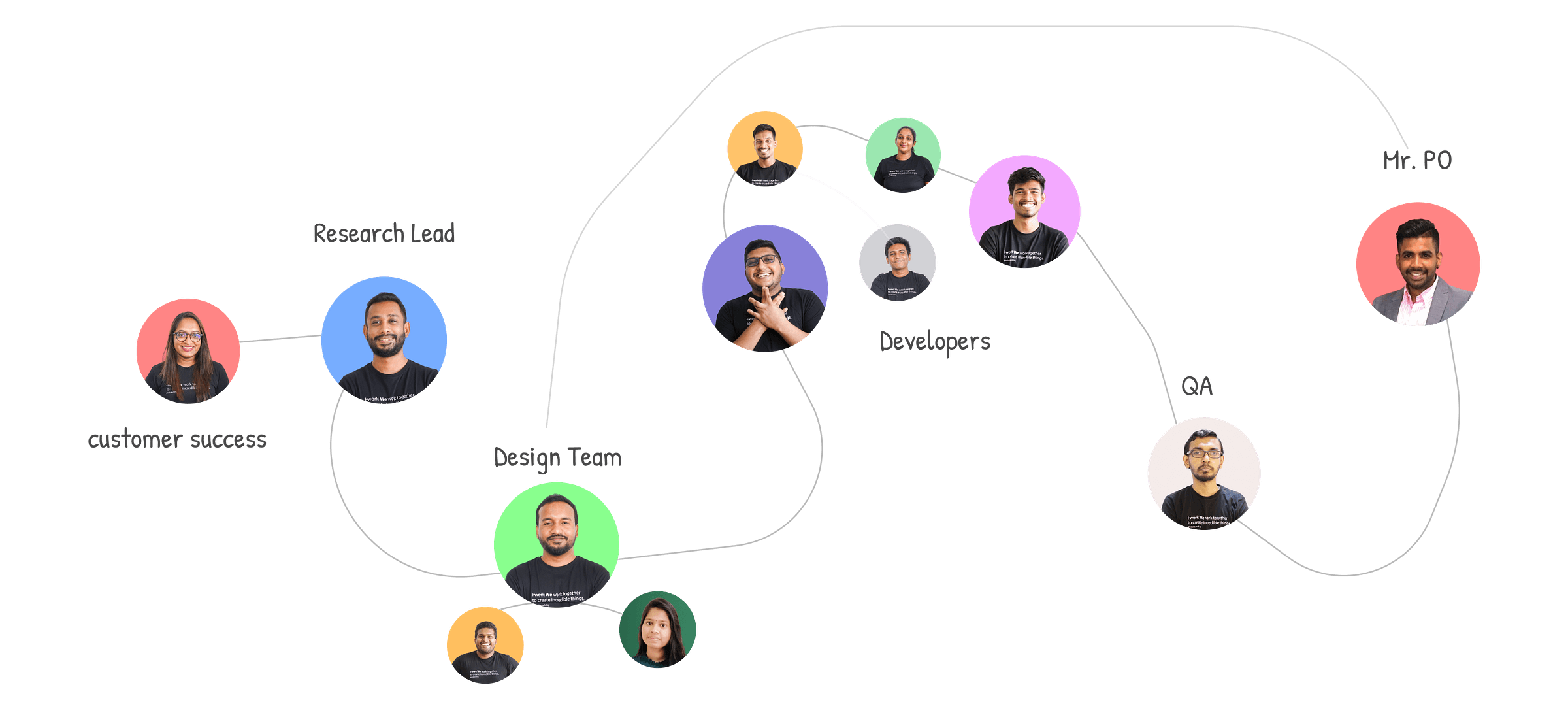
The team and our game plan
As design lead, I embraced a rapid, lean design process to gather feedback quickly, drive early iterations and explore potential solutions.
Working closely with our researcher, we led user interviews that uncovered invaluable customer insights. That partnership integrated research and design seamlessly.
My process revolved around three steps. Research, to deeply understand users and their needs. Design, to craft user-friendly solutions that resonated with those needs. Iteration, to fine-tune designs on continuous feedback until the product excelled.
In essence, the approach centred on swift feedback loops and creating experiences that truly connect with users.
Identifying opportunities through customer discovery
Instead of jumping straight into an MVP built on ideas and hypotheses, we prioritised researching the problem space. Customer discovery was a crucial business de-risking exercise: we documented everything we already knew and pinpointed what to validate in interviews.
Focusing on the HR market, and payroll in particular, our goal was to identify users, understand payroll processes and uncover pain points.
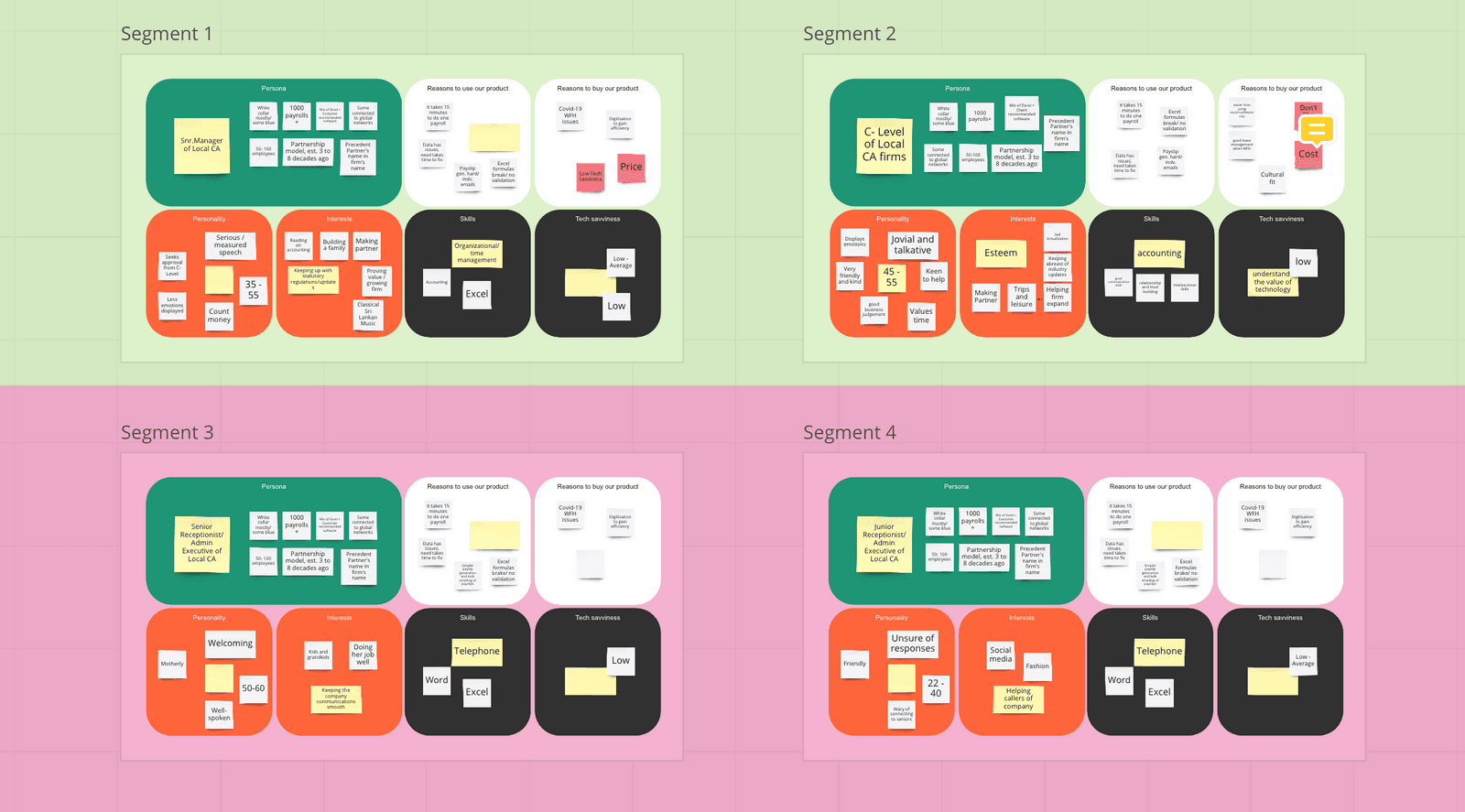
From these discoveries we created detailed personas based on demographics, organisation size, reasons for buying and end goals. Clustering them into segments meant the insights informed every stage of the product design process.
Key findings
Early conversations with small businesses such as cafes, restaurants and clothing stores quickly showed they were happy with paper and Excel payroll because of their small headcount and low cost.
So we went deeper into the chartered accountancy segment, which proved a far more promising market. From there it was about understanding their problems through continuous one-on-one discovery, finding where we could add the most value and prioritising features to match.
Analysing the competitive landscape
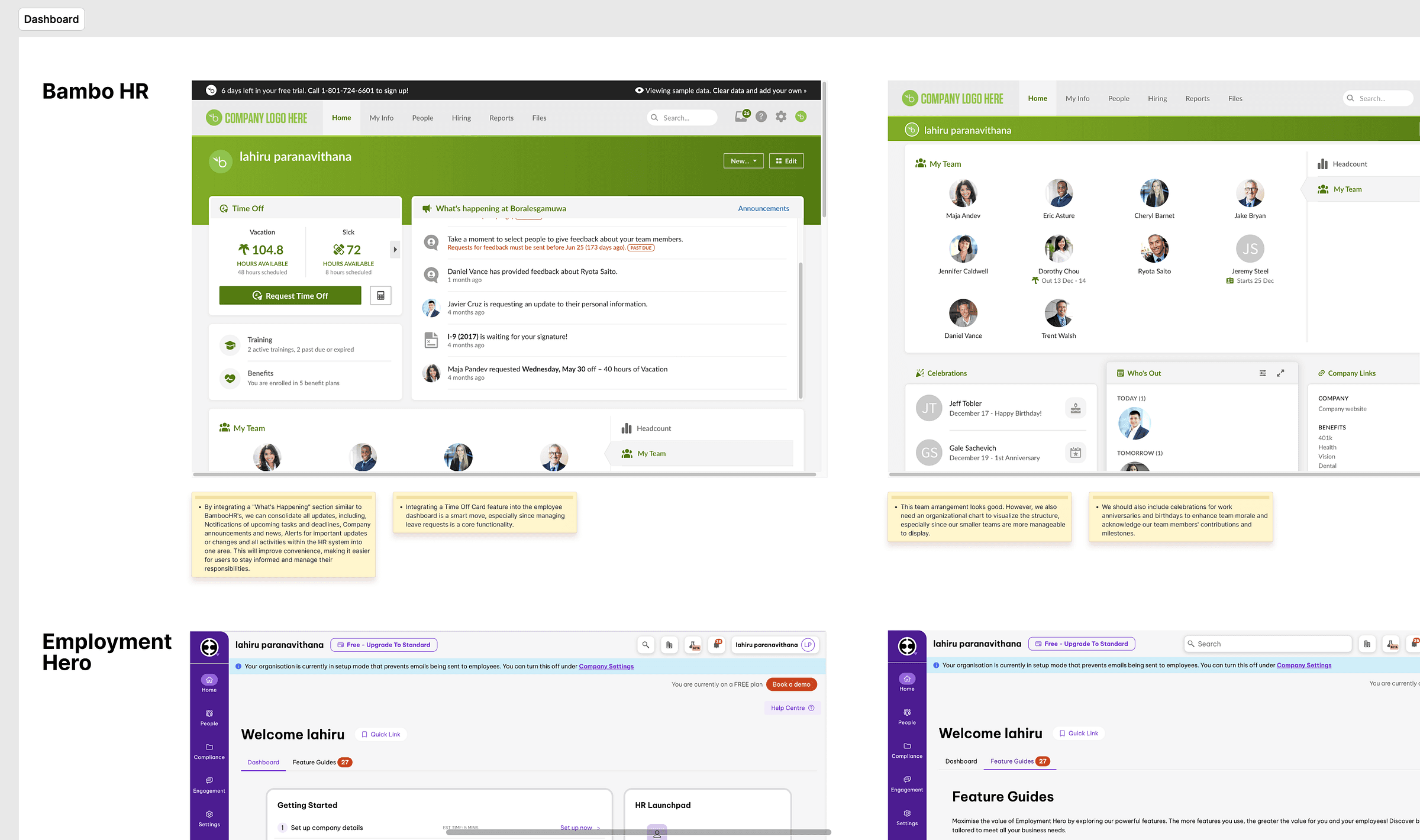
Before moving on, I explored existing products that addressed similar problems to understand their approaches, features and user experiences.
We also found several platforms users already relied on. Talking to those users showed us what they liked and what they found lacking.
Identifying gaps in competitors’ offerings focused us on the areas needing improvement and inspired new feature ideas.
Prioritising features and defining the MVP
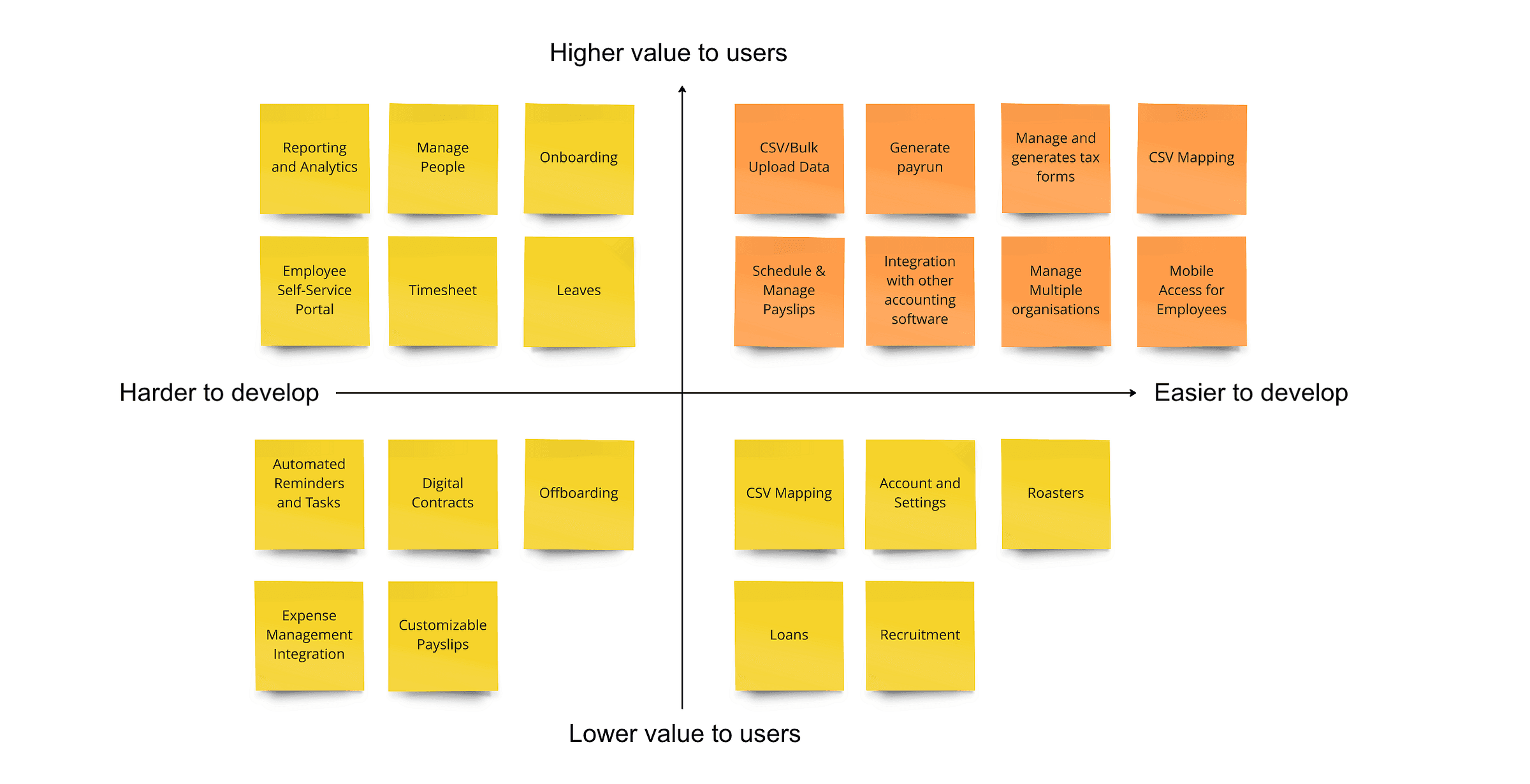
With the research findings and user segments in mind, we defined the MVP by prioritising features on two factors: value to users and ease of development.
Discussing every proposed feature with developers helped us see what was easier to build while keeping user value as high as possible.
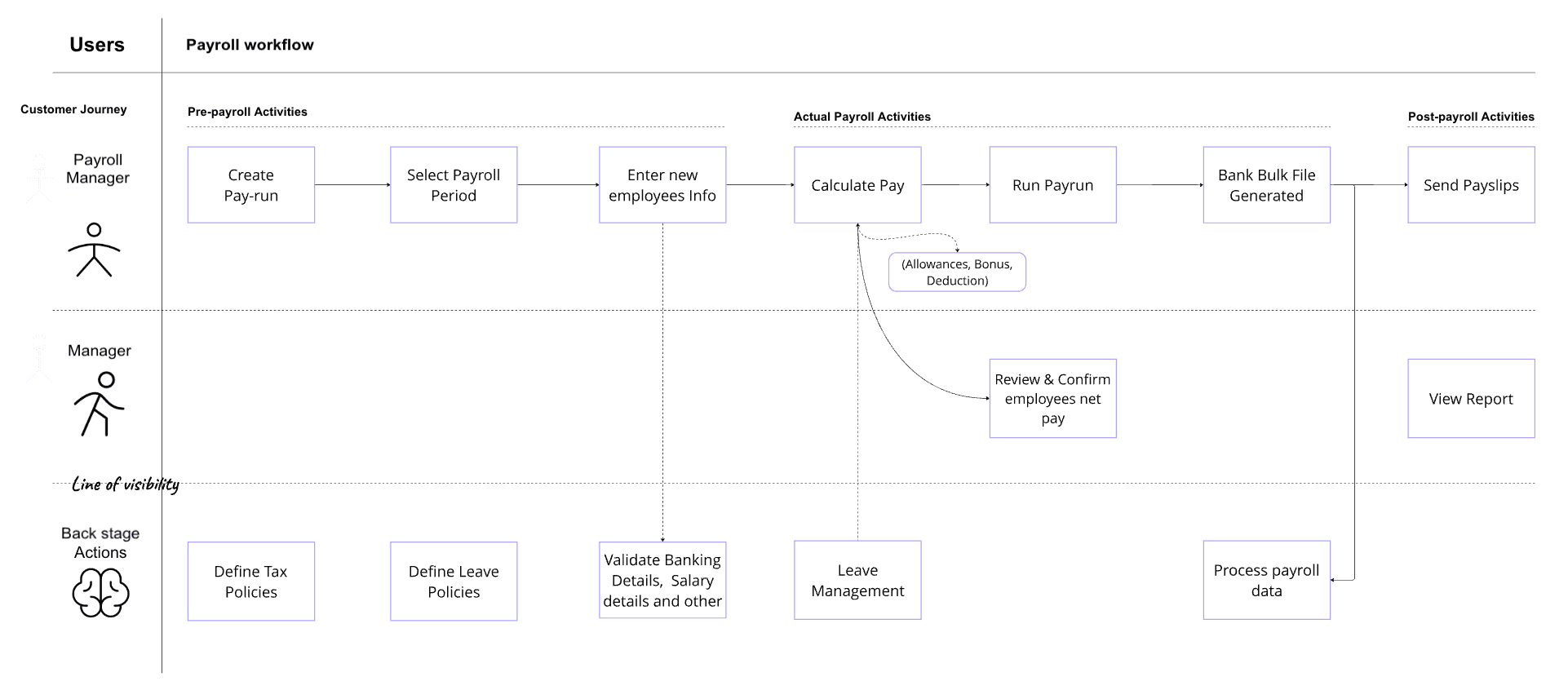
Architecting the experience: solution blueprints
The solution blueprints capture every stage of the process a user follows, including backstage processes that aren’t visible to them. We focused on the actions needed in each module.
Just as importantly, the blueprints let us share one plan with the whole team, which brought valuable feedback. Developers used them as a lens on the technical requirements for backend systems, and together they gave us a holistic view of the customer experience.
Mapping the user journey: flow design
Here the goal was a simplified visual of the user’s path through specific tasks. Keeping it simple was hard, because flows grow complex as users take different actions.
So I broke flows into main functions such as sign-up, payroll and employee management, then examined each user objective: creating a pay run, adding a new employee, requesting leave and more. Sharing the flows with the team for feedback let us feel the real size and complexity of the solution.
From sketches to solutions: prototyping
After collating research insights and competitor findings, we sketched ideas on paper and came up with several potential solutions. I made rough UI sketches for each user type, admin, HR manager and employee, since each needed a different dashboard for their functions.
We validated the sketches and refined them on feedback, then I moved into high-fidelity mockups and clickable prototypes and tested them with users. Insights from that validation led us to iterate on a few areas.
This stage was a cycle of feedback between our team and real users: building a solid solution together.
Bringing ideas to life: visual design
Once we were happy with the direction of the high-fidelity screens, we moved to visual design.
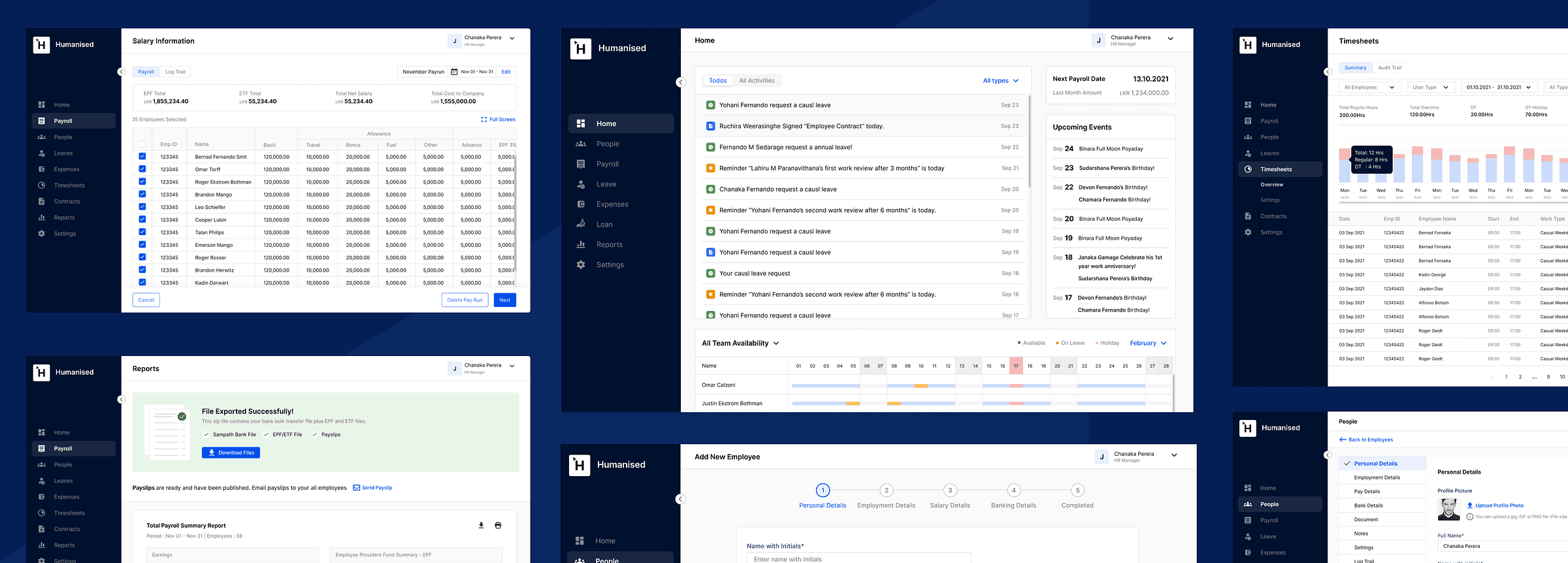
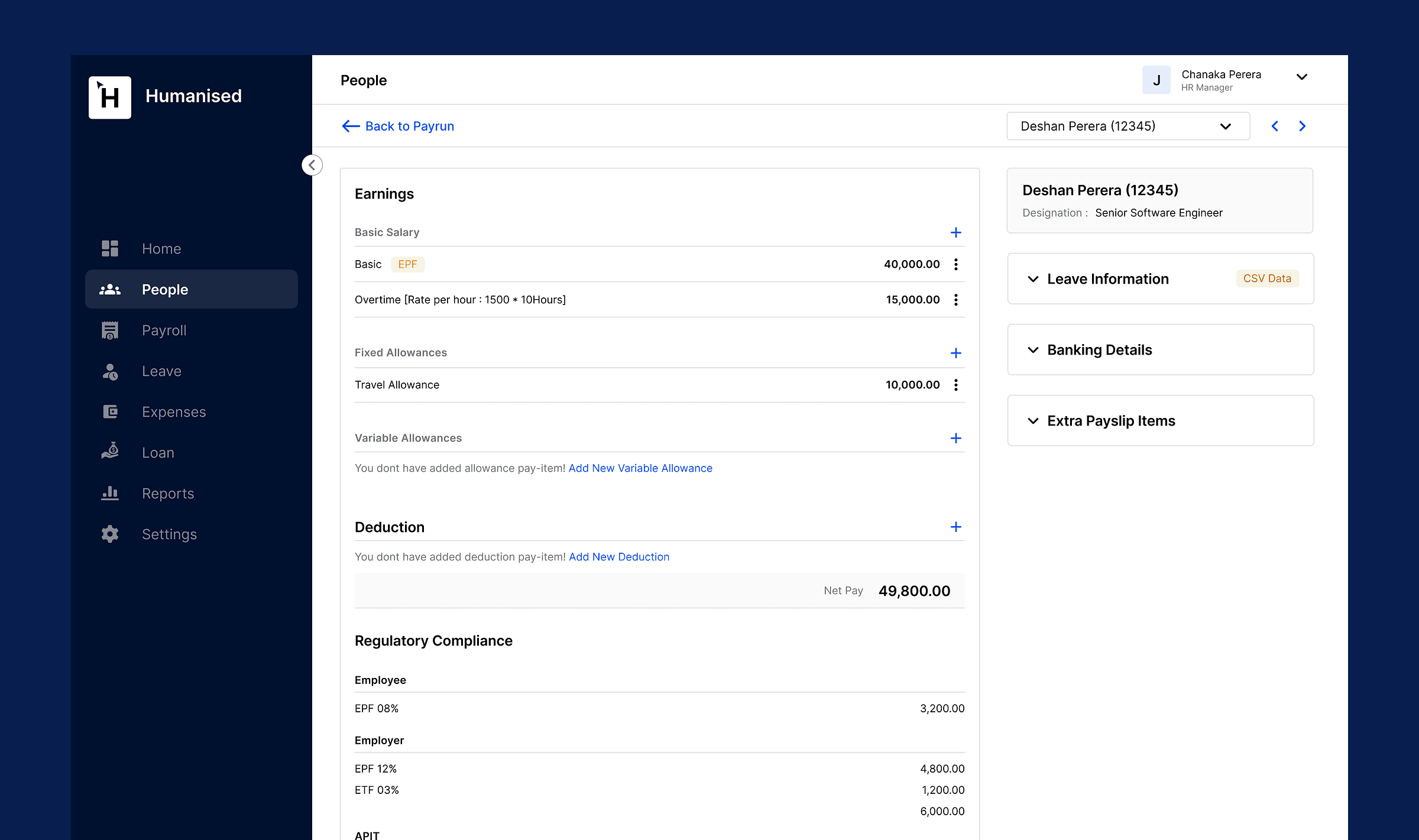
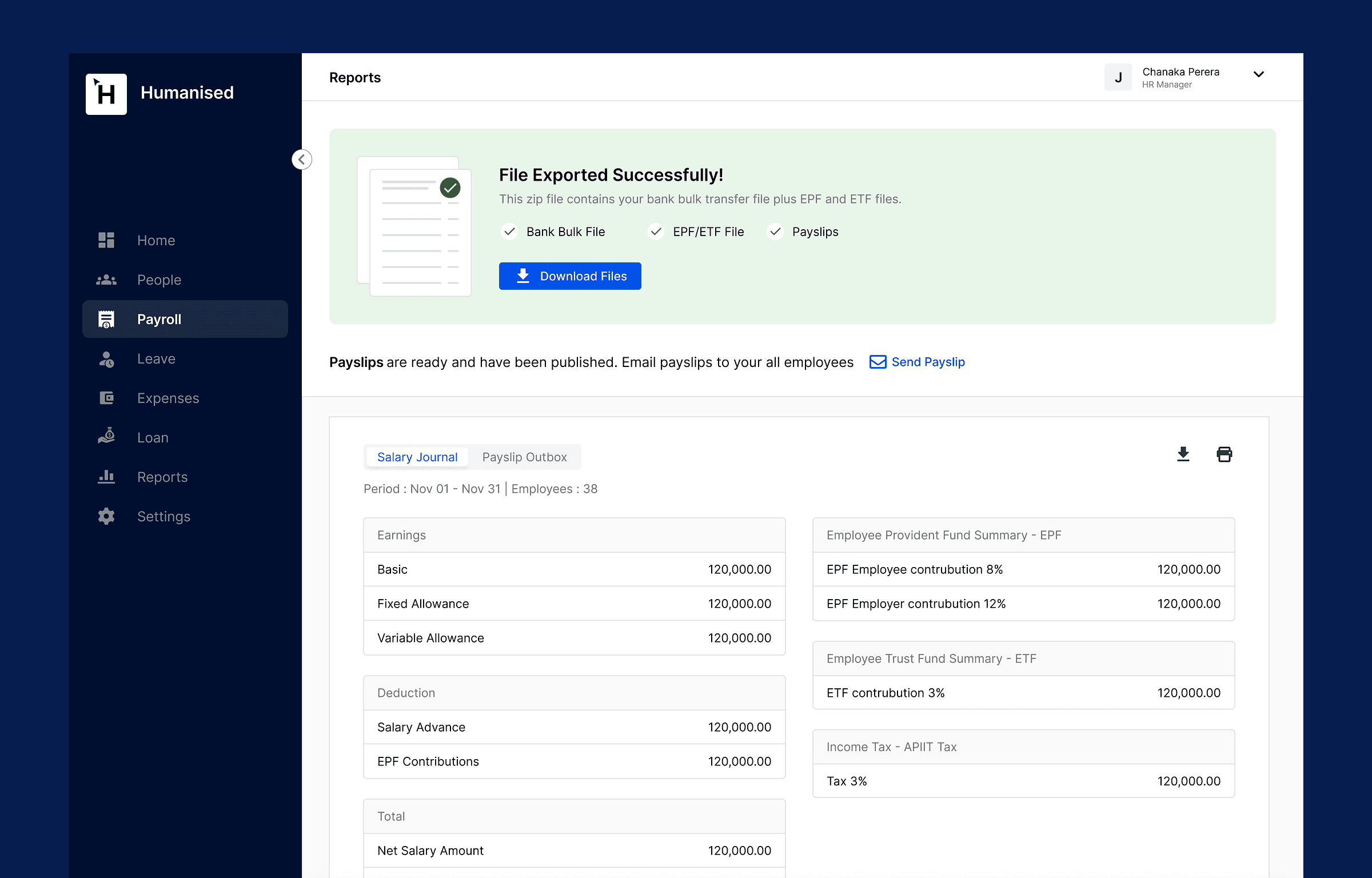
To simplify and automate complex payroll processes, the interface had to be easy and accessible for audiences with very different levels of tech literacy. Here are some key screens.
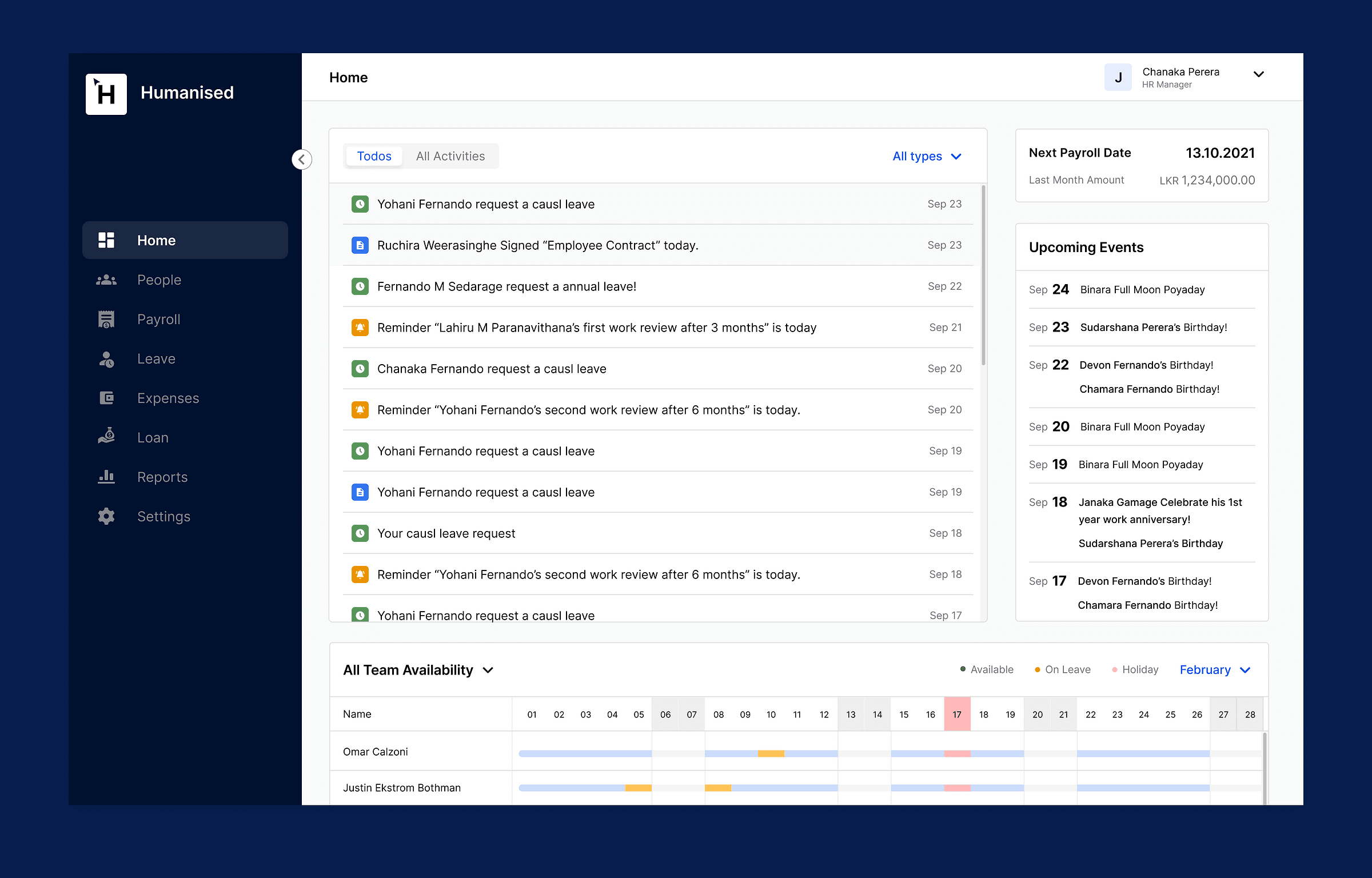
Dashboard
The dashboard is the first screen users see, giving a quick overview of the most important information. We divided it into three areas: to-dos, upcoming events and team availability.
The to-dos tab presents everyday HR activity and reminders, such as leave requests, signed contracts and special events, so nothing your team does in Humanised gets missed.
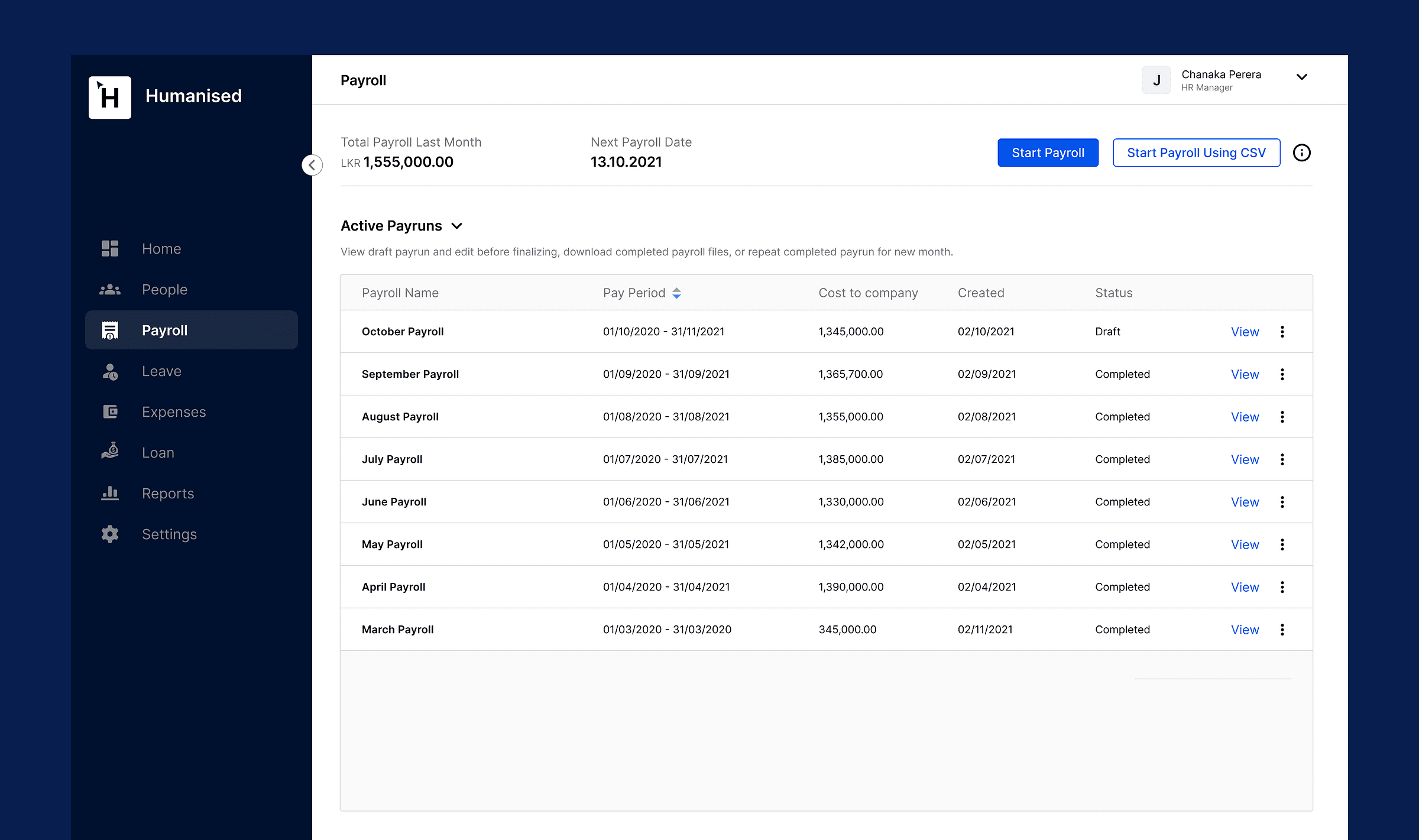
Payroll
The payroll section gives an overview of employees’ pay and tracks their earnings. HR managers can easily create pay runs, manage individual pay and send payslips.
Design system
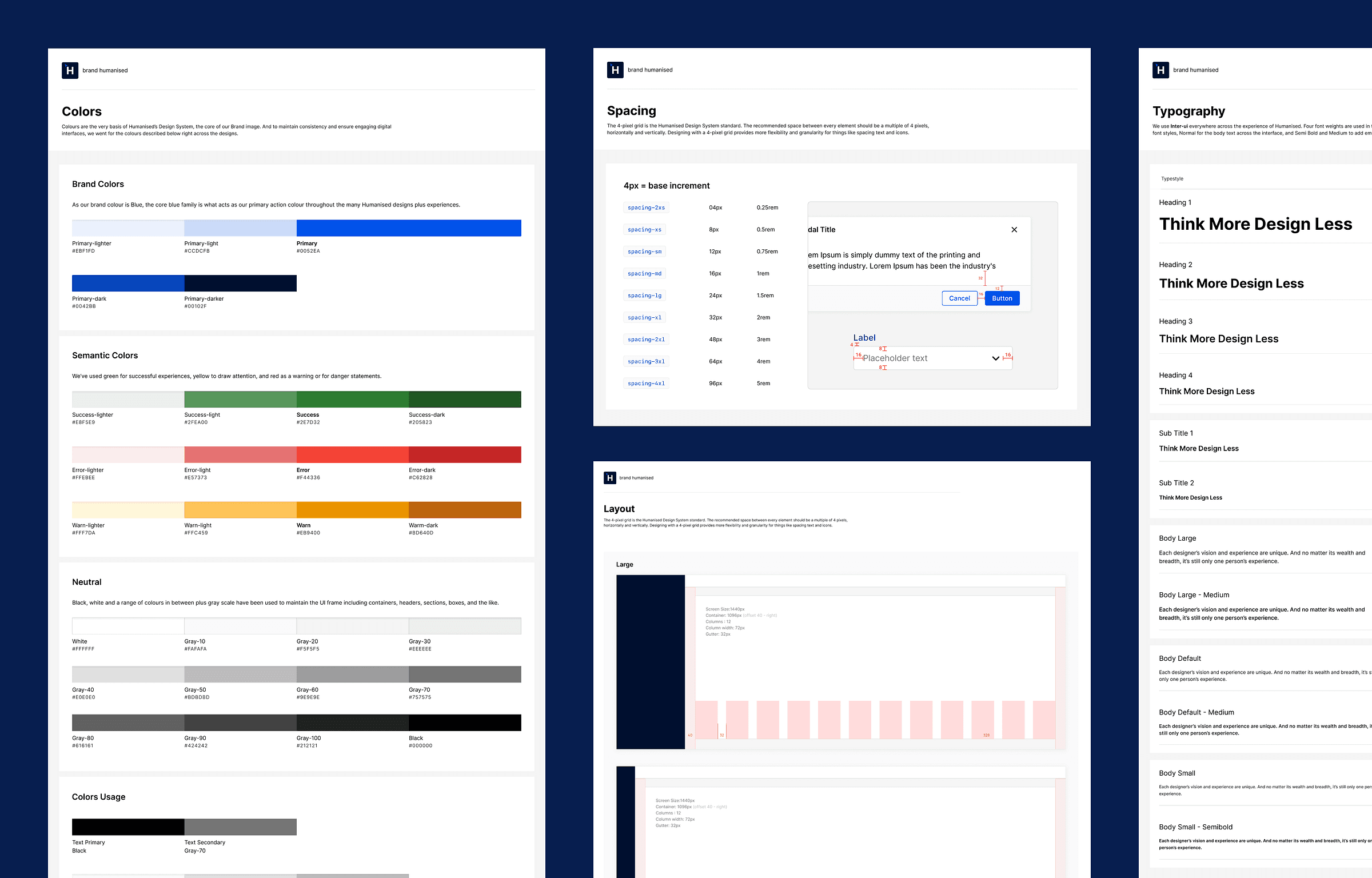
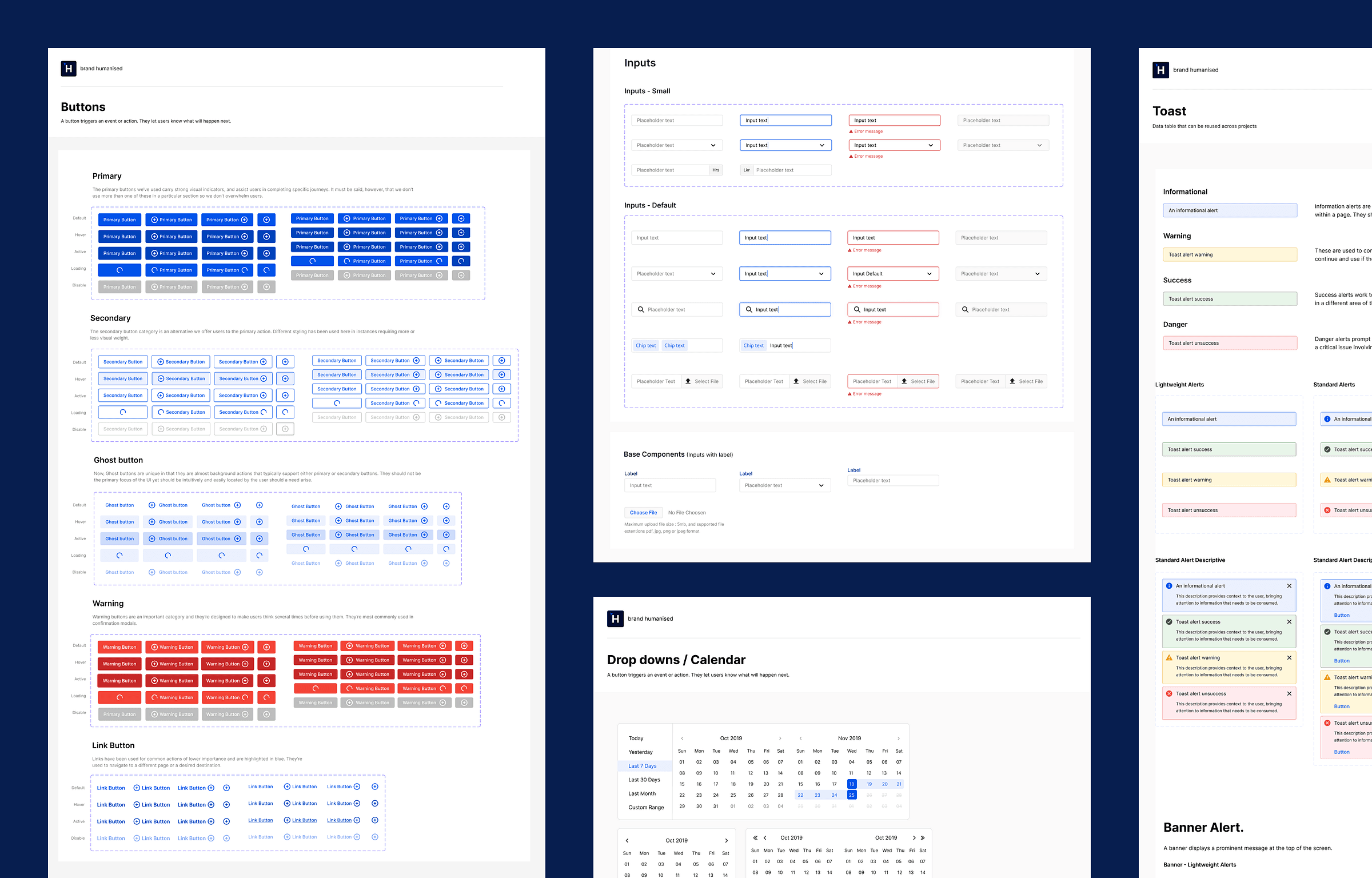
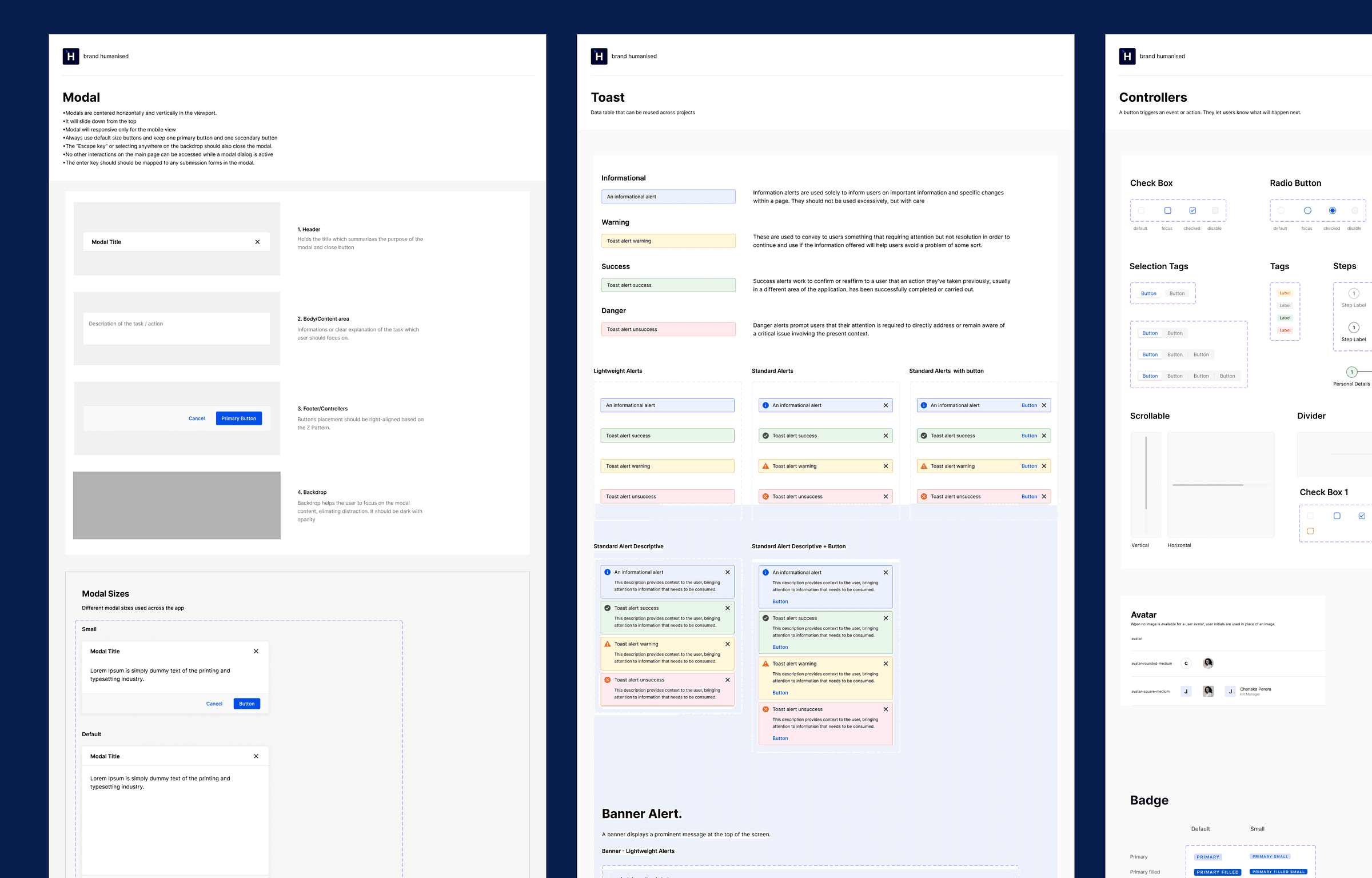
I was inspired by the design systems of GitHub, Atlassian, Shopify, Google and IBM, and used their best practices to shape our own.
We began by defining our brand identity and visual tone, then focused on foundations like colour, typography and grid, and components such as inputs and buttons. Starting from scratch was challenging, but the benefits have been substantial. Here are some of the components and styles we developed.
Usability testing: improving through iteration
To improve the experience, we ran a series of in-person usability sessions with real users to gather insights and find pain points.
Testing scenarios
We crafted scenarios and tasks that closely resembled real-world use. Participants carried out essential actions such as processing a monthly payroll and onboarding a new employee.
Findings and iterations
An initial study with five participants uncovered about 80% of the usability problems. We made targeted design changes to address them directly.
A second round of testing confirmed the changes worked, reinforcing our commitment to continuous improvement driven by user feedback.
Future horizons
As the app evolves, we’re excited to bring new features to new and existing users. The roadmap is full of ideas.
Originally published on Medium. Questions or feedback? Email me at lahirump@yahoo.com.